


Harshini
- 17 Sep, 2026
- 0 Comments
- 7 Mins Read
Coding vs Robotics for Kids
Which Should Your Child Start With?
When parents start thinking about introducing technology to their children, two options usually come up: coding and robotics. This often turns into one simple question “Which one should my child learn first?”
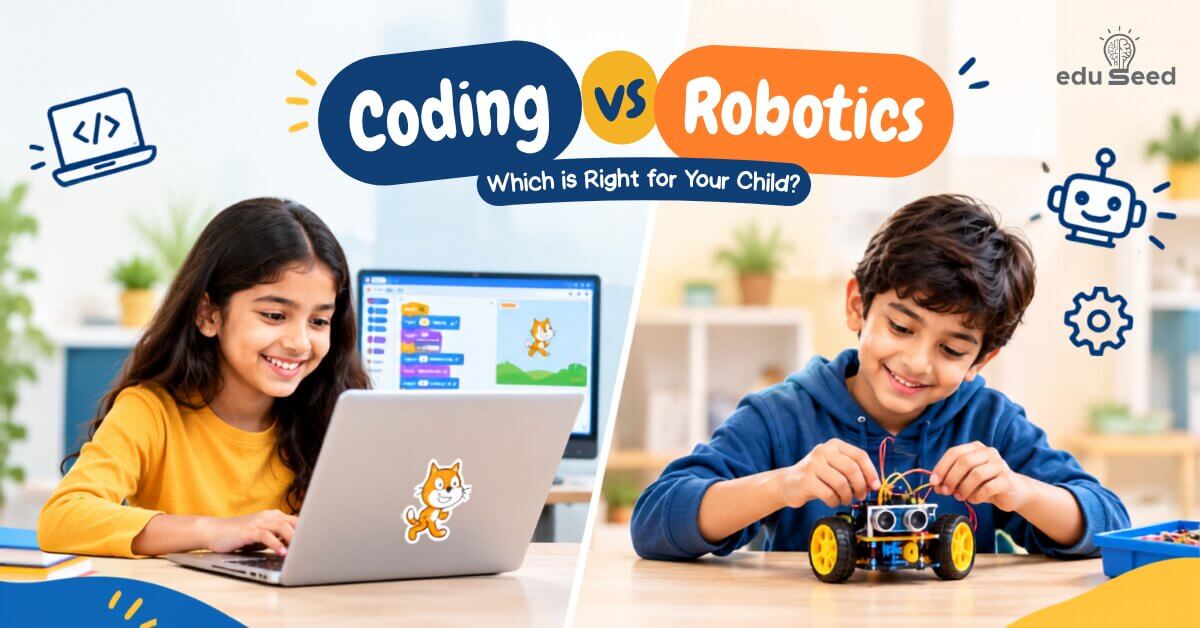
If your child is curious about technology, you might wonder whether coding will feel too abstract, whether robotics is age-appropriate, or whether they should just try both. The reassuring answer is that there’s no single right choice. Coding is a great starting point for kids who enjoy digital creation games, animations, stories, puzzles while robotics suits kids who enjoy hands-on building and watching their ideas move in the real world. Many children end up enjoying both, since robotics is really coding applied to something physical. The best starting point is simply whichever one keeps your child curious and engaged.
What Is Coding for Kids?
Coding is simply giving a computer instructions to make something happen. Children don’t need to start with complicated programming languages. They can begin with visual coding platforms such as Scratch, where they drag and connect blocks to create games, animations, stories, simple interactive projects, and puzzles.
For example, a child might build a game where a character moves when the player presses a key. While building that one small game, they’re quietly practicing several skills at once:
- Giving instructions in the correct order
- Identifying and fixing mistakes
- Recognizing patterns
- Making decisions
- Solving problems
So coding isn’t just a “computer skill.” It’s really step-by-step thinking practice, wrapped in something that feels like play.
What Is Robotics for Kids?
Robotics brings coding into the physical world. Children build or work with a robot, then use code to make it perform actions — moving forward, turning left or right, following a path, avoiding an obstacle, or responding to a sensor.
Picture a child building a small robot and giving it instructions, only to watch it not move as expected. Instead of giving up, the child starts asking, “Where did I go wrong?” They adjust the instructions, test again, and observe what happens. That process teaches an important learning habit:
Try → Test → Find the problem → Improve → Try again
This loop of experimenting, failing safely, and adjusting is one of the most valuable things robotics teaches.
Coding vs Robotics: What’s the Difference?
The simplest way to think about it: coding teaches children how to give instructions, and robotics lets children use those instructions to control something in the real world.
Coding | Robotics | |
Where it happens | Mostly on a computer or tablet | Combines coding with physical activities |
What kids create | Games, stories, and animations | Robots they build and control |
Core focus | Logic and programming | Coding, building, and problem-solving together |
Starting point | Can begin with visual programming | Usually involves a robotics kit |
Best fit for | Kids who enjoy digital creation | Kids who enjoy hands-on activities |
Coding and robotics aren’t competing subjects they actually complement each other very well. A child doesn’t have to pick a “side” permanently; many kids move fluidly between the two as their interests grow.
Which One Is Better for Your Child?
Instead of asking “which one is better,” it’s more useful to ask “what does my child actually enjoy?” Your child’s natural interests are usually the best starting signal you have.
Coding may be a good choice if your child enjoys:
- Playing computer games
- Creating stories or animations
- Drawing and designing
- Solving puzzles and brain games
- Using computers or tablets
- Creating things on a screen
If your child says, “I want to make my own game!” coding could be a wonderful place to begin. They can start with one simple project and gradually pick up more programming concepts as their confidence builds.
Robotics may be a good choice if your child enjoys:
- Building things
- LEGO and construction activities
- Machines and moving objects
- Hands-on experiments
- Solving practical challenges
- Finding out how things work
If your child is the type who constantly asks “how does this work?”, or gravitates toward building and experimenting, robotics may capture their attention quickly.
What If My Child Is Interested in Both?
That’s a great position to be in. A child can learn a coding concept on a computer and then use that same idea to control a robot.
For example:
- Learn about loops in code → then use a loop to make a robot repeat a movement.
- Learn about if-then conditions in code → then program a robot: “If an obstacle is detected, turn.”
Once a child sees a screen-based idea actually move a physical object, coding stops being abstract. It becomes something real, and that shift is often what makes the concept truly click for hands-on learners.
What Skills Do Children Develop?
Whichever path your child starts with, the real benefit isn’t just “learning technology” — it’s the thinking skills built along the way.
- Problem-solving — breaking a big challenge into smaller, manageable steps.
- Logical thinking — working out what should happen first, and what comes next.
- Creativity — designing their own games, animations, robots, and projects.
- Patience and persistence — trying again instead of giving up when something doesn’t work.
- Critical thinking — learning to ask “why didn’t this work?” and “what can I change?”
These skills don’t stay confined to a screen or a robot kit. They carry over into everyday learning, homework, and problem-solving at large.
How Do Coding and Robotics Support Math Skills?
Coding and robotics give children opportunities to use math in meaningful, practical ways. While building projects, they naturally work with patterns, sequences, numbers, measurement, logic, and problem-solving.
Children don’t need to master these concepts before they begin. They learn and apply them gradually as they work on projects, helping them understand the why behind mathematical concepts rather than simply learning them as rules.
How Should Parents Choose a Coding or Robotics Class?
When evaluating a program, don’t just look at the technology’s name or how many topics it covers. Ask a few simple questions instead:
- Does my child get to create? A good program gives kids the chance to build their own projects, not just copy what the instructor does.
- Does my child get to experiment? Children should be encouraged to try different ideas and see what happens.
- Are mistakes treated as part of learning? A child should feel comfortable making mistakes, figuring out what went wrong, and trying again not made to feel bad about errors.
- Is the learning age-appropriate? Activities should genuinely match your child’s age, ability, and interests, not be a scaled-down version of an adult curriculum.
- Is my child actually thinking? A strong class encourages kids to understand, solve, create, and explain rather than simply follow along step by step.
A Simple Decision Guide for Parents
If you’re still unsure, this quick guide can help:
If your child says or shows… | Consider starting with… |
“I love games and being creative on screen.” | Coding |
“I love building and hands-on activities.” | Robotics |
“I enjoy both equally.” | Coding and robotics together |
“I’m honestly not sure what they’ll enjoy.” | A beginner-friendly activity in either see what captures their interest first |
There’s no need to rush toward advanced learning right away. The first goal is simply helping your child discover: “I can create something with technology.”
Why Is It Valuable to Start Early?
Learning coding or robotics at a young age isn’t about preparing every child to become a software engineer or roboticist one day. It’s about developing a mindset. Children learn that:
- Problems can be broken into smaller steps.
- Mistakes can be fixed, not feared.
- More than one solution can exist for the same problem.
- Trying again can lead to better results.
- Ideas can be turned into something real.
These are valuable habits for any child, in any field not just technology.
Coding and Robotics at eduSeed
At eduSeed, children learn technology best when they get to learn by doing. Through live, instructor-led coding and robotics sessions, kids explore programming concepts, build real projects, work through hands-on challenges, and develop problem-solving skills in an engaging, supportive environment with both 1:1 and small-group formats available for ages 6–16.
Depending on their age and interests, children can explore Scratch, hands-on robotics with real kits, and other age-appropriate coding tracks. The aim isn’t simply to teach kids how to use technology it’s to help them become creative thinkers and confident problem-solvers who aren’t afraid to try, fail, and try again.
Frequently Asked Questions
Which is easier for kids coding or robotics?
Both can be beginner-friendly when taught at the right level. Coding may feel simpler initially since children can start with visual programming, while robotics adds building and physical activity on top of the coding itself.
What age can children start coding?
Children can start learning basic coding concepts at an early age through age-appropriate visual programming tools, as long as the activities are matched to their age and learning level.
Can my child learn robotics without knowing coding first?
Yes. Beginner robotics programs can introduce basic coding and robotics concepts together, so children learn programming while building and controlling simple robots at the same time.
Is coding useful if my child doesn’t want to become a programmer?
Absolutely. Coding helps children develop logical thinking, problem-solving, creativity, sequencing, and persistence skills that are useful regardless of their eventual career path.
Is robotics only for children who like engineering?
Not at all. Robotics can be enjoyed by any child who likes building, experimenting, solving puzzles, technology, or simply seeing their ideas come to life no engineering background needed.
Should my child learn coding before robotics?
Not necessarily. Either can be a starting point. That said, some basic coding concepts can make it a little easier for children to understand how robots follow instructions.
What if my child loses interest in coding?
That’s completely normal. Try a different type of project a child who doesn’t enjoy one format (say, puzzles) may become excited by games, animations, storytelling, or robotics instead.
What should parents look for when choosing a coding or robotics class?
Look for a program where children understand concepts, create their own projects, experiment freely, solve problems, and learn from mistakes rather than simply following instructions step by step.
A Final Thought for Parents
Your child doesn’t need to become an expert in technology today. They simply need a chance to explore it with curiosity. Whether their first project is a Scratch game, a simple animation, a robot that finally moves the way it’s supposed to, or a small coding challenge, every project builds toward one important feeling: “I made this.”
That feeling of creating something on their own can be the beginning of a lifelong interest in learning. Start with curiosity. Learn by doing. Create with confidence.